
Settings & Shortcuts
Theme, language, models, memory, flavor words, and your account all live in Settings; common actions have shortcuts, the command palette jumps to any of them, and you can rebind them to taste.
Steps
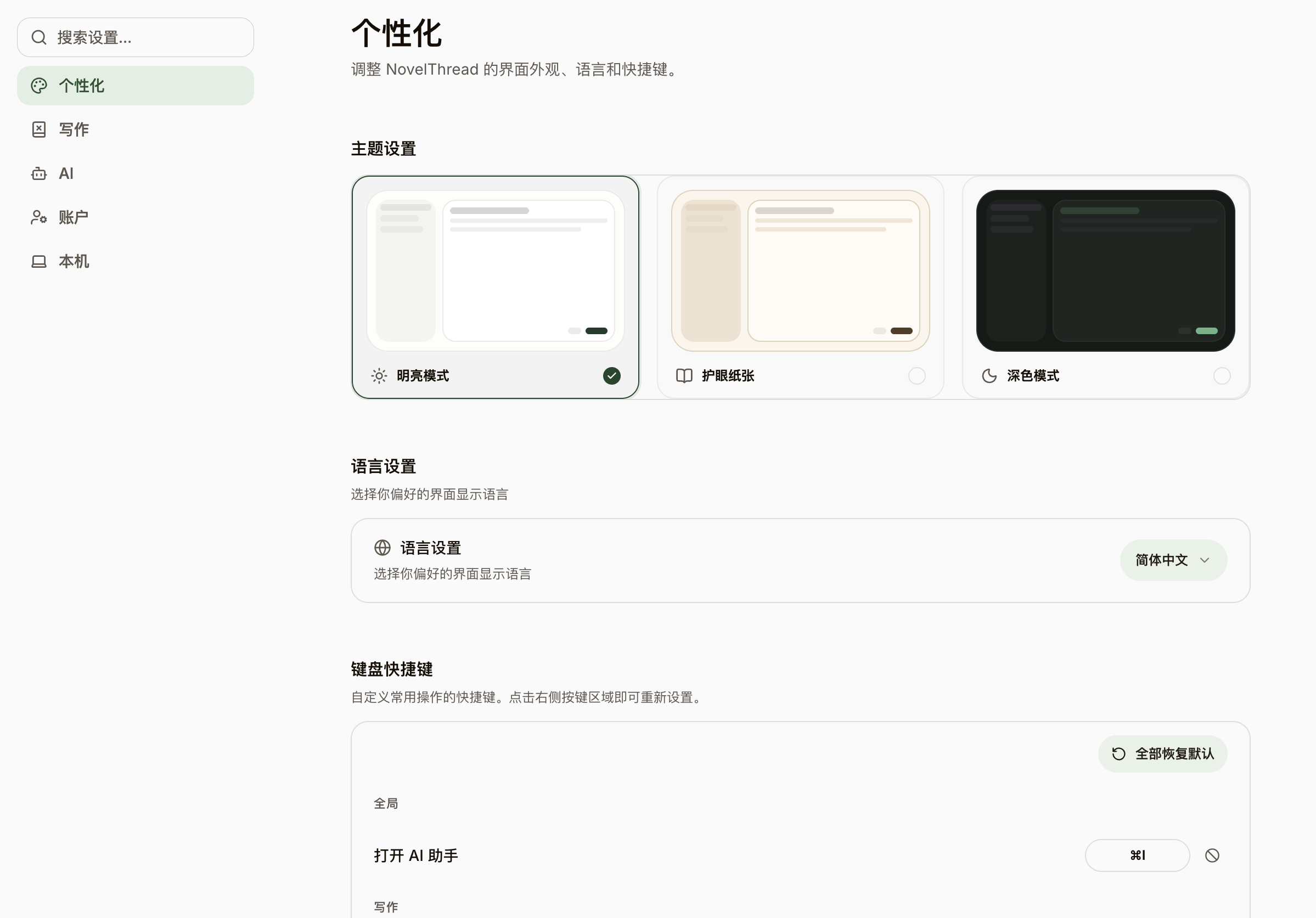
- Open "Settings" and find five sections at a glance: Appearance, Writing Checks, AI, Account, and Local.
- Under "Appearance", switch theme (Light / Sepia Paper / Dark), UI language (Simplified Chinese / English), and keyboard shortcuts; app updates and local data management live under "Local".
- "Writing Checks" centralizes AI flavor-word filtering and platform compliance linting; the "AI" section holds model connections, user memory, and conversation settings.
- Press Cmd/Ctrl+K to open the command palette and search and run commands, like new chapter, save draft, open the AI assistant, view revision diff, or send selection to AI.
- In Settings → Shortcuts, rebind or disable any command, and use "Restore defaults" to reset in one click.