AI Skills & Commands
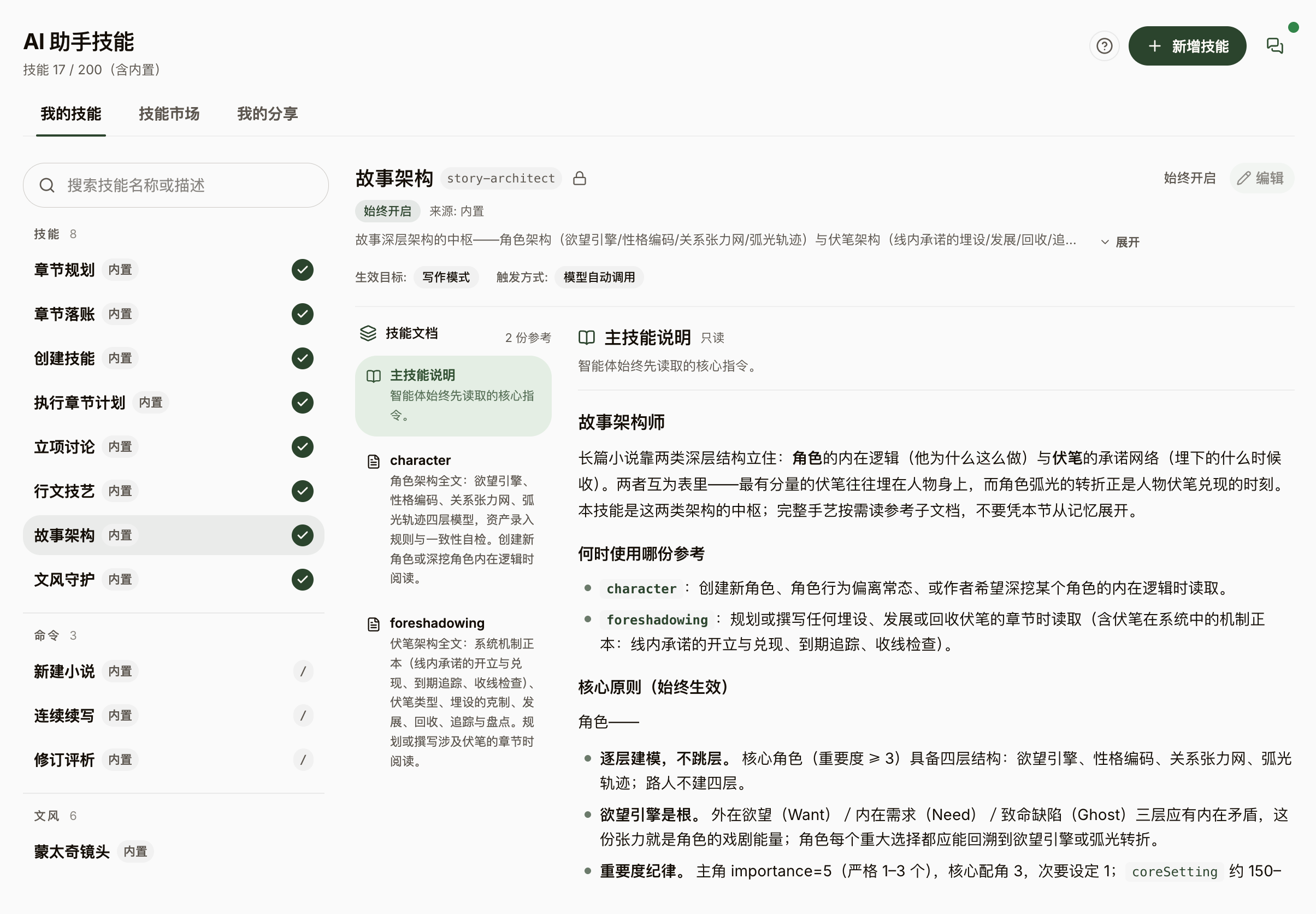
A "skill" is a specialist manual for the AI — a piece of writing knowledge or workflow that can auto-trigger when relevant or be invoked by a slash command. NovelThread ships a dozen-plus writing skills and a marketplace of downloadable, shareable ones.
Steps
- Skills make the assistant sharper at specific tasks — consistency guard, foreshadowing architect, dialogue craft, style-voice keeper, pacing & tension, and more; built-in skills are on by default and protected (read-only).
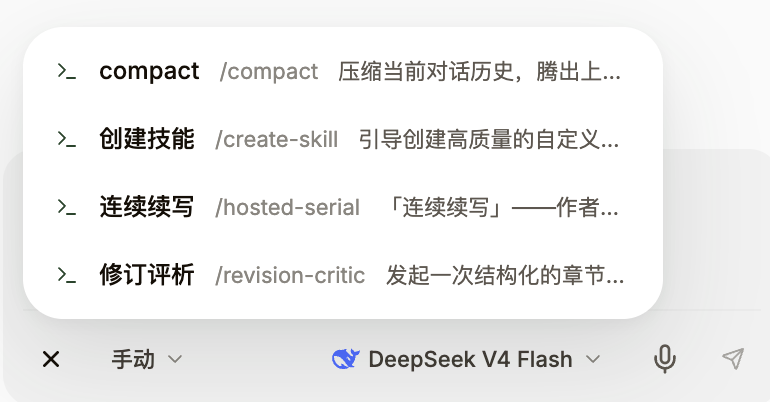
- Type "/" in the assistant’s input to bring up "Choose an AI skill or command" and invoke one manually, e.g. /create-novel (guided setup) or /revision-critic (revision review).
- Some skills auto-trigger by context — for example, after you finish a chapter, "Consistency Guard" watches for timeline issues, status drift, naming conflicts, and leaked foreshadowing.
- Open the "Skills" page (AI Assistant Skills) to browse and download skills others have shared under "Marketplace", or submit your own under "My Shares" (requires sign-in and review).
- Downloaded skills are read-only by default; click "Copy as my skill" to edit them freely.