
Relationship Graph
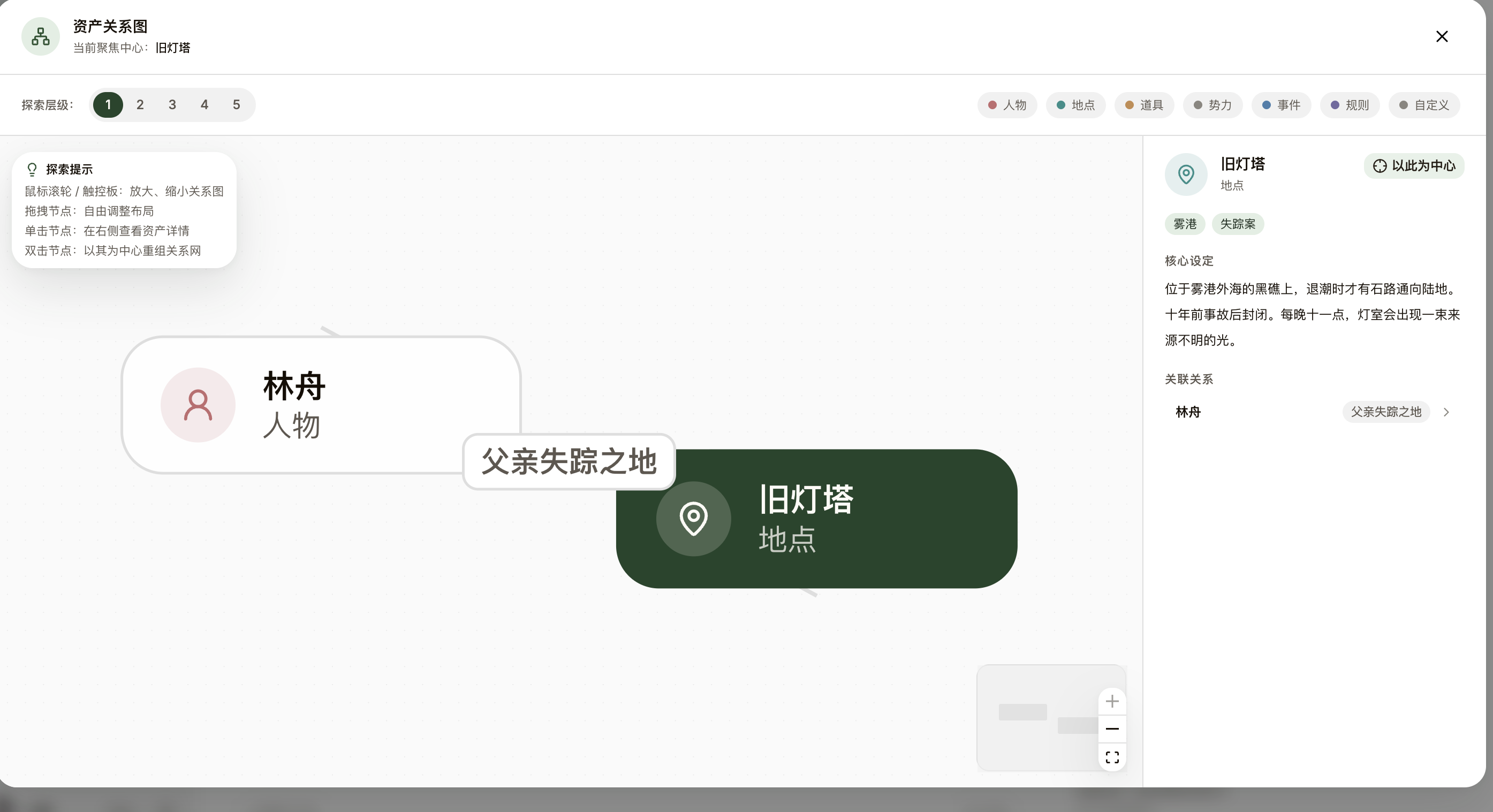
See how characters, factions, events, and foreshadowing connect at a glance. NovelThread offers an interactive relationship graph with a dozen-plus relation types and layer-by-layer expansion to untangle a sprawling cast.
Steps
- In the Asset Library, switch to the "Relations" tab, or open the "Asset Relationship Graph" from any card to lay out its web centered on that asset.
- Create relations between assets — Knows, Family, Enemy, Ally, Belongs to, Owns, Located in, Appears in, Caused by, Foreshadows, Custom — and NovelThread suggests fitting labels based on the two endpoint types.
- Adjust the expansion depth (1–5 layers), from "single-layer focus" out to a larger network.
- Scroll to zoom and drag to pan; click a node for details, and double-click a node to "Re-center" the graph on it.
- The expanded "Network Explorer" view adds a minimap, a type legend, and a node-detail rail to help you find your way in a big graph.