
Multi-Candidate Rewrites & Blind Pick
Can’t get it in one shot? Have the AI produce up to three candidates at once to compare; you can even let different models each write a version and reveal — after you choose blind — whose voice fits best.
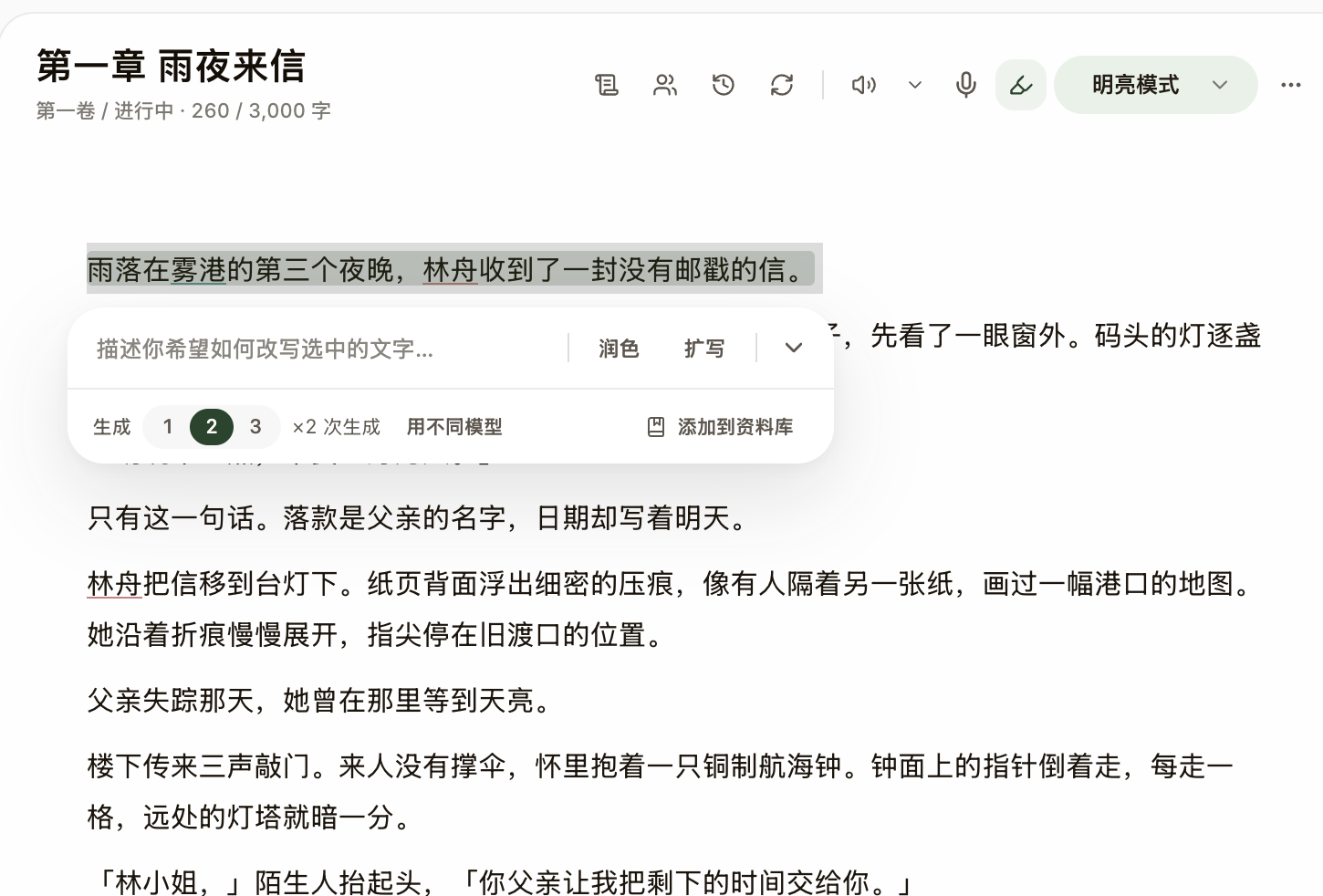
Steps
- With the rewrite capsule open, expand "More options": raise "Drafts" to 2–3 candidates; the cost shows honestly as "×N generations".
- Candidates from the same model carry different focuses: Tighter, Stronger voice, More conflict, Re-paced — pick a direction first, then judge the sentences.
- Tick "Use different models" and every candidate comes from another model; you pick your favorite blind, then click "Reveal" to see which model wrote which.
- Not happy with the batch? Reroll with "Another batch"; when a version is close, add one line in the iterate field (like "make the dialogue half a degree colder") and press Enter to rewrite.
- Commit your pick with "Replace text" as usual, or "Discard" to keep the original — preview first, confirm second, unchanged.