
Copy for Platforms
Before pasting a chapter into a web-novel dashboard, stop hand-tuning the format. NovelThread arranges title, prose, and the author’s note to each platform’s posting habits, ready to copy section by section.
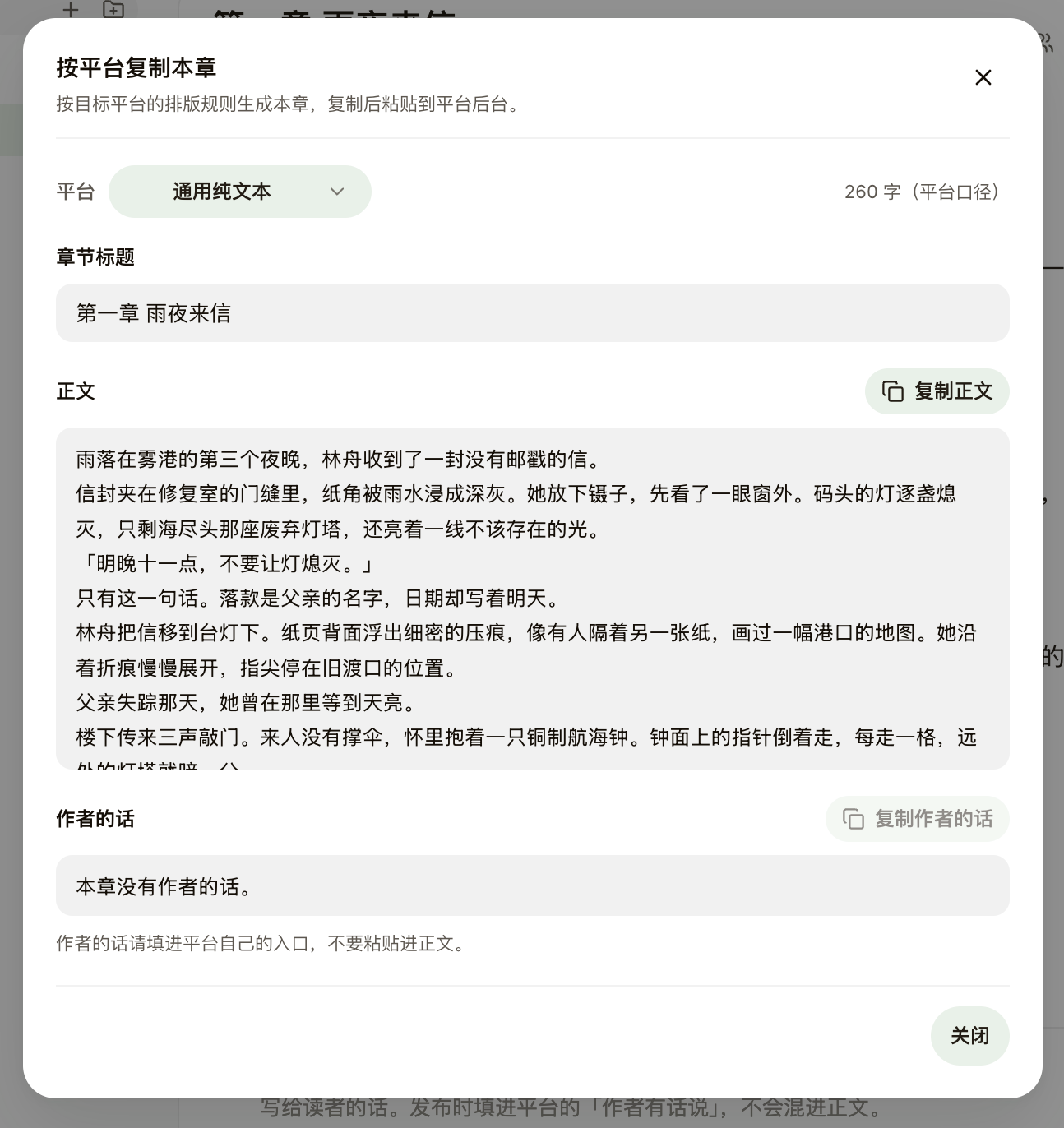
Steps
- Click the "…" menu at the top of the editor → "Copy this chapter for platforms", then pick a target: plain text, Fanqie, Qidian, Jinjiang, or Qimao — it defaults to the book’s chosen submission platform.
- NovelThread reflows the format per platform preset: Jinjiang gets full-width paragraph indents and blank lines between paragraphs with unnumbered titles; Qidian counts words by its own rules (title excluded).
- The dialog splits into Title / Prose / Author’s note, each with its own copy button — the author’s note is never mixed into the prose.
- Some platforms carry special notices: Fanqie needs an AI-generated declaration checked, Qimao’s scheduled posts require manual review — just follow the hints.