Writing Companion (Pet)
An optional companion stays inside NovelThread while you write. It offers quiet company, writing progress, and reminders when an AI task needs attention.
Download NovelThread — macOS & Windows · View download details
Steps
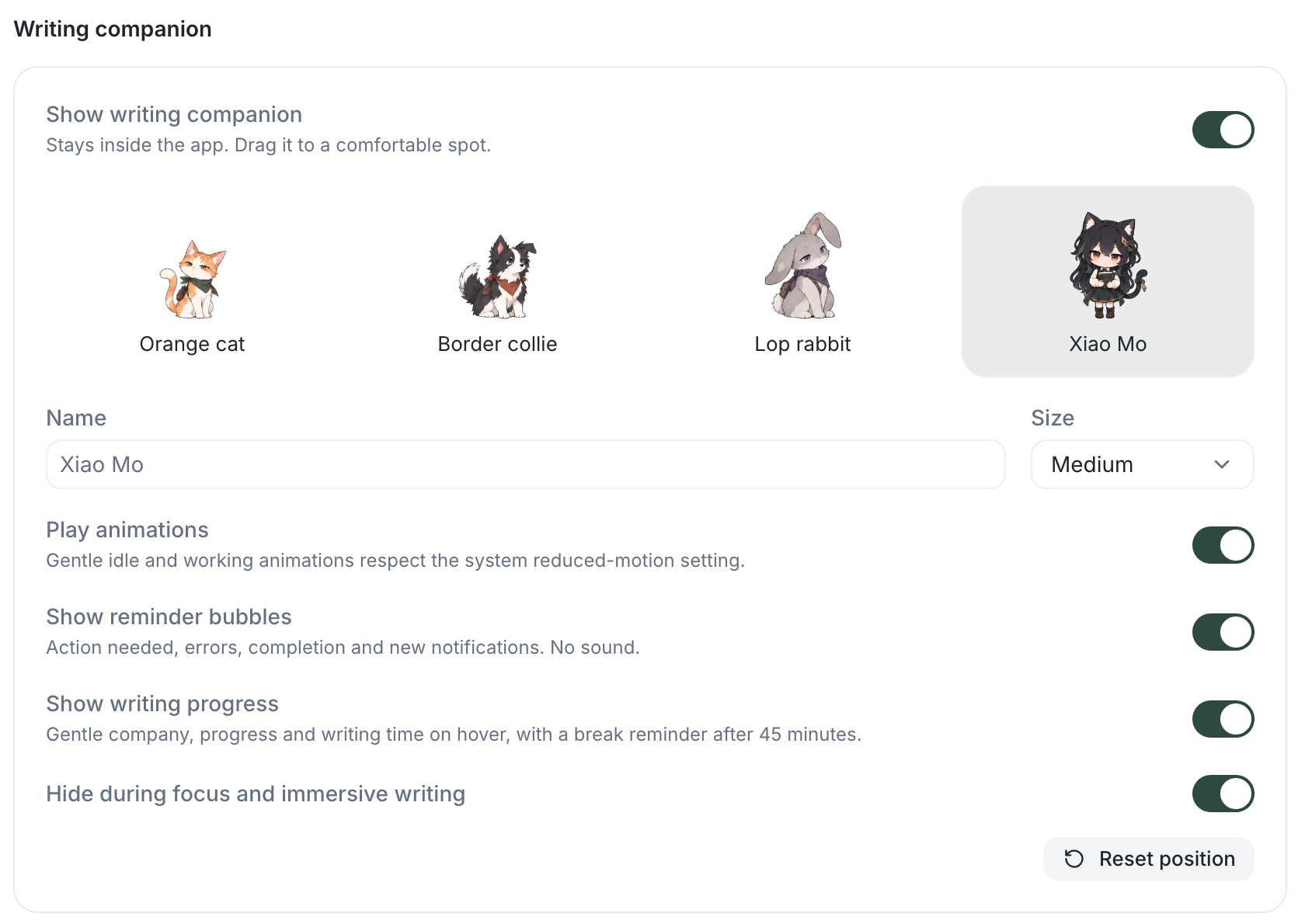
- Open Settings → Personalization → Writing companion and turn on Show writing companion. Choose Orange cat, Border collie, Lop rabbit, or Xiao Mo; set a name and Small, Medium, or Large size.
- Drag the companion to a comfortable spot inside the app. If it gets in the way, use Reset position in settings. The Pet action gives it a little attention.
- Click the companion to open a chat. When a task or notification needs attention, its reminder can take you to the relevant chat or notification; it does not approve an action for you.
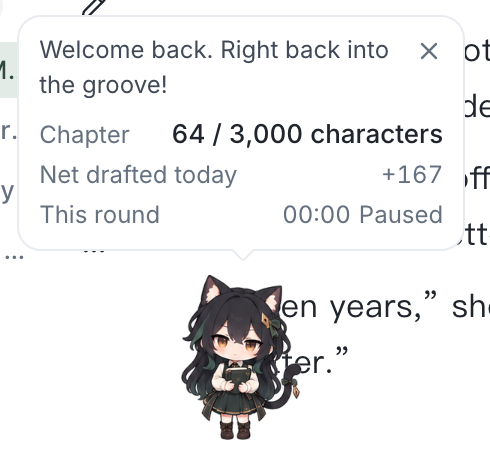
- Enable Show writing progress to see the chapter target, net words drafted today, and this round’s writing time on hover. After 45 minutes of writing, a gentle reminder offers a break, a 10-minute snooze, or continued writing.
- Control Play animations and Show reminder bubbles separately. Animations respect your system’s reduced-motion preference, and reminders make no sound.
- Keep Hide during focus and immersive writing enabled for a clear writing surface. You can also hide the companion from its menu or turn it off in Personalization.