
Meet NovelThread
NovelThread is a local-first desktop writing app built specifically for novelists. Your manuscripts, character notes, and outlines stay safely on your computer. AI serves as a capable assistant on your terms, never an uninvited ghostwriter.
Download NovelThread — macOS & Windows · View download details
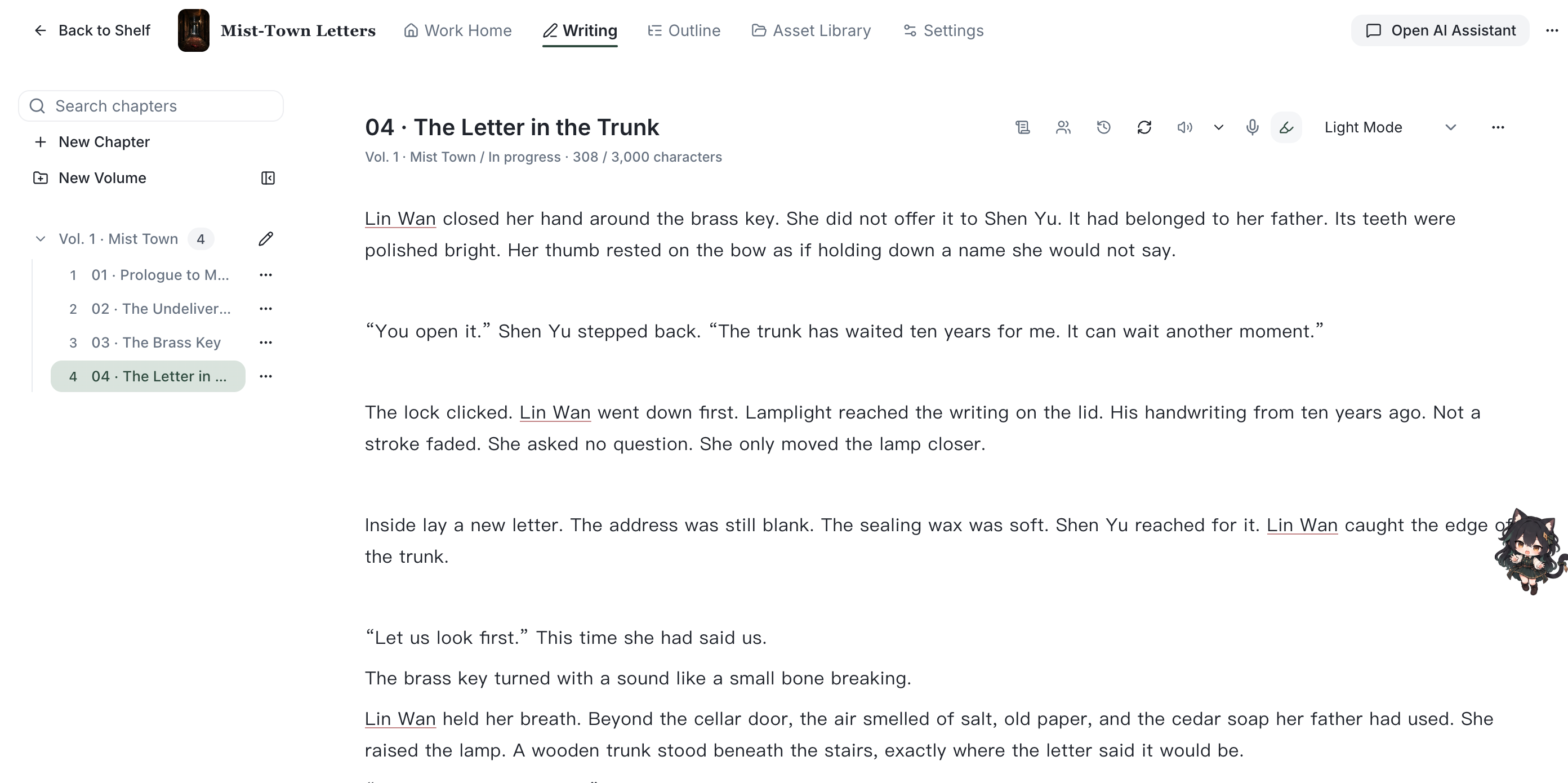
Steps
- NovelThread is a desktop app. Every project is stored in a local database on your machine by default, and works fully offline without signing in.
- Open the app to the Home screen, which greets you and offers "New Novel" and "Import Project", plus a "Continue Writing" card to jump back into your latest work.
- "My Works" lists all your novels — click any one to enter its writing space.
- Each novel’s workspace has five areas: Work Home, Writing, Outline, Asset Library, and Settings — overview, drafting, structure, story bible, and project configuration respectively.
- The "AI Assistant" is always a keystroke away (Cmd/Ctrl+I): inside a novel it acts as that book’s writing advisor; on Home it’s a global assistant for planning a new book.
To turn an idea into a project, start with creating a novel and then organize its chapters.
To keep an independent manuscript file, see import and export and choose a format for backup or delivery.