
Create Your Novel
Start with just a working title, or brainstorm a world and outline with the AI assistant. You can have a structured first volume ready in minutes.
Download NovelThread — macOS & Windows · View download details
Steps
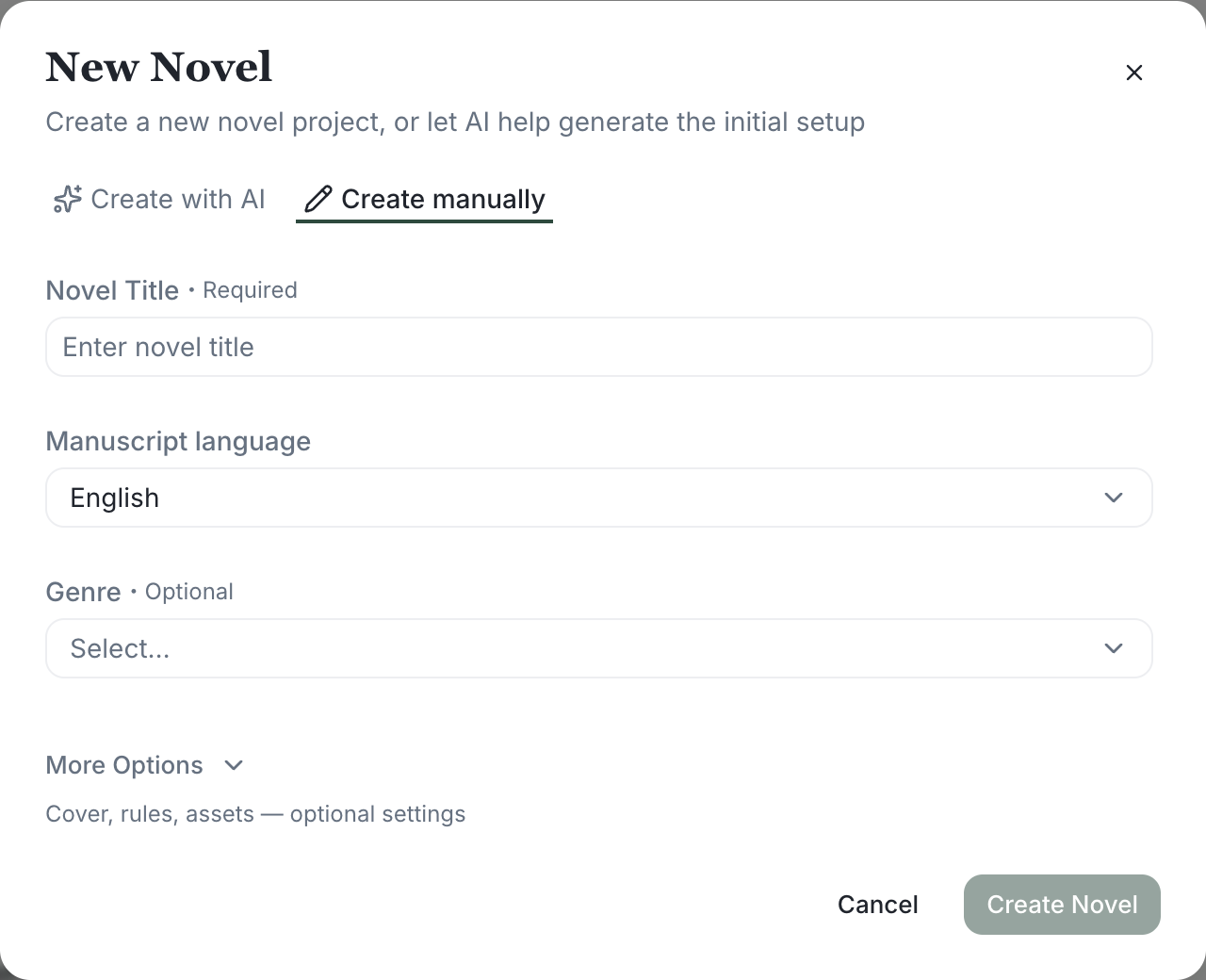
- On Home, click "New Novel", enter a title to immediately create a blank project and start writing.
- Want AI guidance? Choose "Create with AI", and the assistant runs the /create-novel skill to shape your genre, world rules, main cast, and initial chapter outline through conversation.
- Expand "More options" to upload a cover from your device and set an estimated total word count — NovelThread uses it to suggest a volume and chapter cadence.
- Have an existing manuscript? Back on Home click "Import Project", choose a .txt or .md file, and NovelThread splits it into chapters to create a new work with a table of contents (see "Import & Export").
- Once created, you land in the workspace; you can always edit the title, synopsis, cover, and project status (Concept / In Progress / Paused / Finished / Archived) in Settings.
Once your project exists, follow drafting from a chapter plan to confirm goals and turning points before writing prose.
For reusable setup and chapter-planning workflows, see AI skills and commands and how to invoke them in the assistant.