
Chapters & Volumes
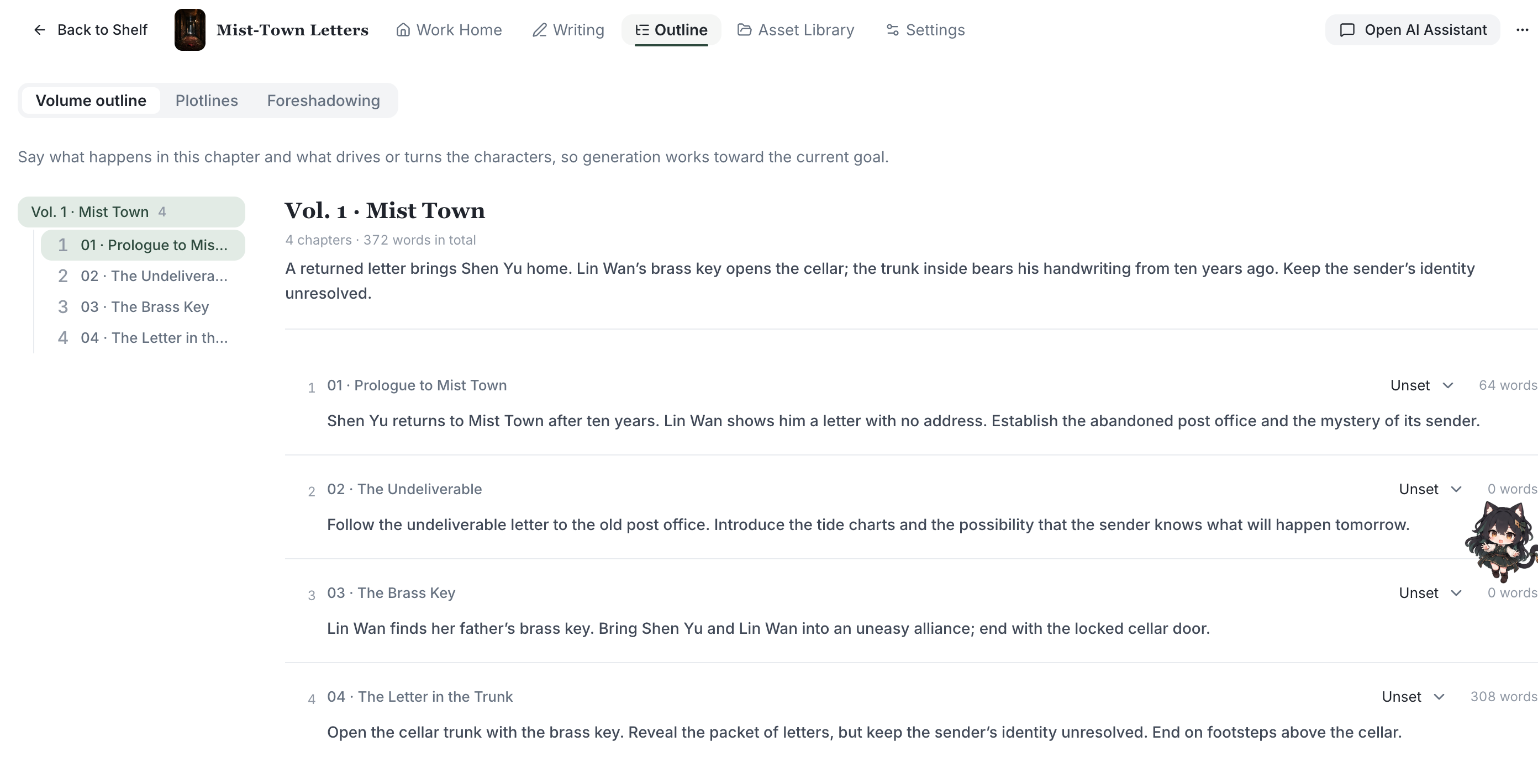
Long-form needs structure. NovelThread organizes a book as a two-level "Volume → Chapter" outline, with per-chapter point of view, live word counts, and daily goals to help you keep the pace.
Download NovelThread — macOS & Windows · View download details
Steps
- In the Writing workspace tree, click "New Chapter" (Cmd/Ctrl+N) or "New Volume" (Cmd/Ctrl+M), and fill in the title, parent volume, chapter outline, and target word count.
- Use "Volumes" to group chapters into parts for organizing hundreds of thousands of words; search at the top of the tree to locate a chapter fast.
- Set each chapter’s point of view: Unset / Single / Omniscient / Multi; for "Single" you can also name the POV character to keep the narration consistent.
- The status bar shows live "chapter word count", "estimated reading minutes", and caret position; the side panel shows progress against your "target word count".
- Use Cmd/Ctrl+Alt+↑ / ↓ to jump between the previous and next chapter and stay in the flow.
To organize your story, explore volume and chapter planning and keep chapter goals and turning points beside your manuscript.
A worked example
Starting point: a courier arrives after the last ferry has left. Goal: deliver a sealed letter before dawn. Obstacle: the lighthouse keeper refuses entry without the brass key. Turn: the courier finds the recipient’s signature in an old visitor book. End state: delivery becomes an investigation. Withhold: who sent the letter.
Download the writing worksheet (Markdown)Review the result
A chapter plan guides a draft; it does not guarantee continuity. Check the viewpoint, chronology, character knowledge and final change yourself. Keep rejected ideas outside confirmed story facts.
Read the complete writing guide