
AI Skills & Commands
A "skill" is a specialist manual for the AI — a piece of writing knowledge or workflow that can auto-trigger when relevant or be invoked by a slash command. NovelThread ships a dozen-plus writing skills and a marketplace of downloadable, shareable ones.
Download NovelThread — macOS & Windows · View download details
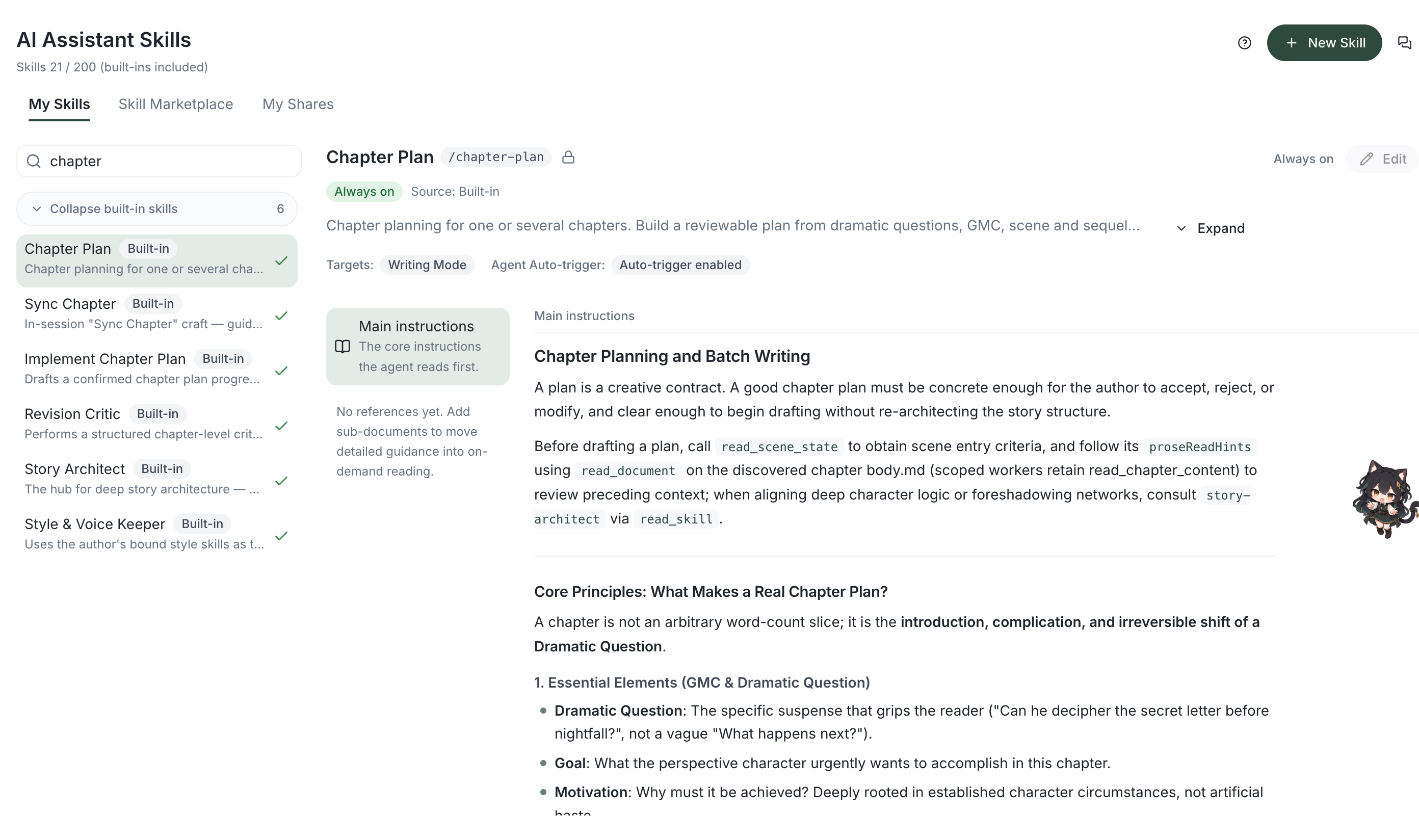
Steps
- Open Skills in the sidebar, then click New Skill on the AI Assistant Skills page. AI Create opens a new conversation where you can review and send your request; Manual Create lets you fill in the skill directly.
- For manual creation, enter a skill identifier, display name, description, target, and instructions; reference files are optional. The identifier uses 2–63 lowercase English letters, digits, or hyphens. The display name can keep its original language. Save, then view or edit it under My Skills.
- Enable immediately after creation and the skill page’s enabled switch apply to all novels. To use a skill in just one novel, leave it off globally, open that novel’s Settings → Skills for this novel, and turn it on in the available skills. Globally enabled skills need no separate binding.
- Skills make the assistant sharper at specific tasks — consistency guard, foreshadowing architect, dialogue craft, style-voice keeper, pacing & tension, and more; built-in skills are on by default and protected (read-only).
- Type "/" in the assistant’s input to bring up system built-in commands, e.g. /create-novel (guided setup) or /deconstruct (book deconstruction).
- Open the "Skills" page (AI Assistant Skills) to browse and download skills others have shared under "Marketplace", or submit your own under "My Shares" (requires sign-in and review).
- Downloaded skills are read-only by default; click "Copy as my skill" to edit them freely.