
AI Writing Assistant
A writing assistant for chapter plans, brainstorming, lore and foreshadowing. Manuscript changes follow Manual or Automatic permissions; inline rewrites require confirmation.
Download NovelThread — macOS & Windows · View download details
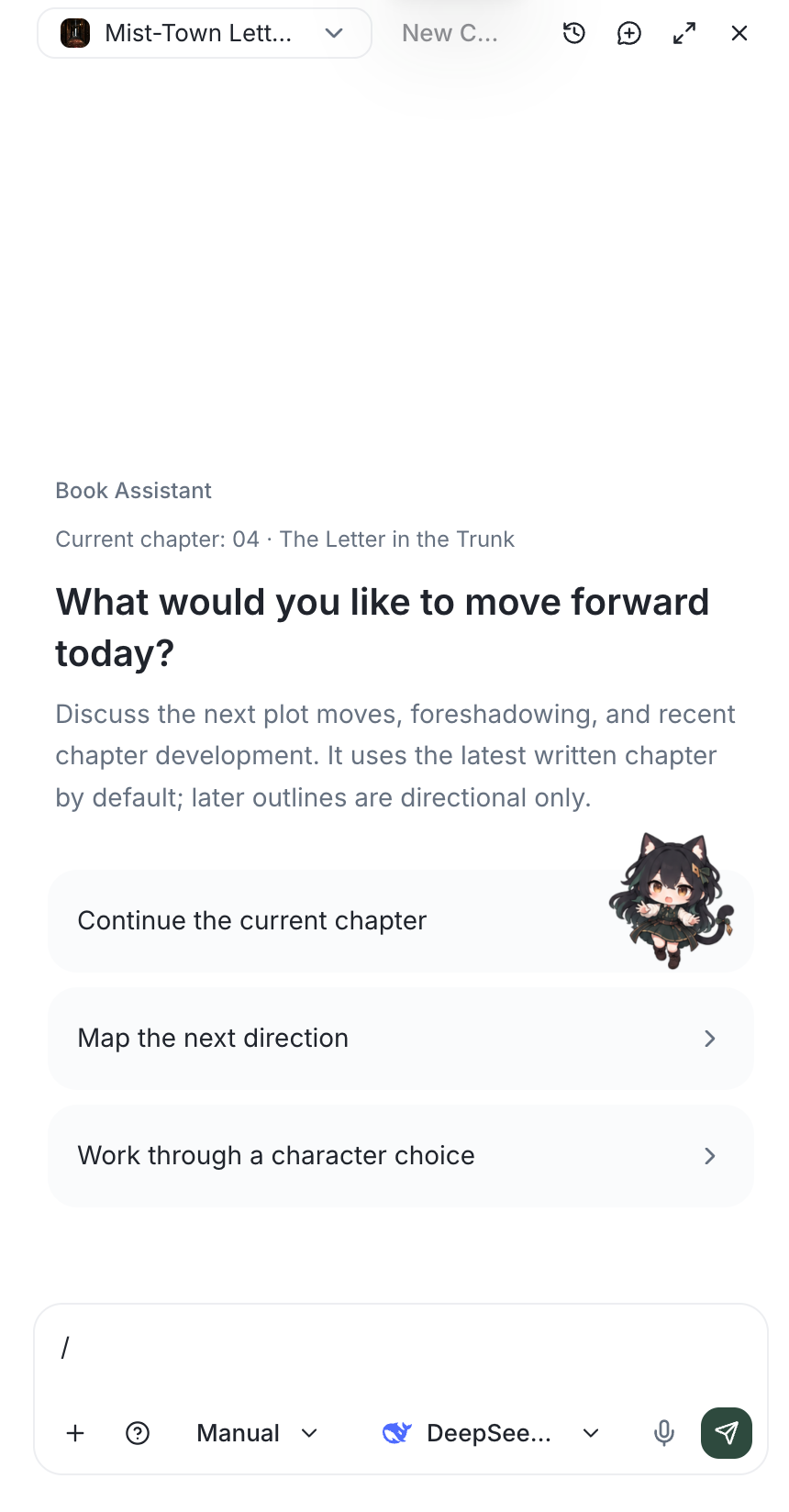
Steps
- In the Writing workspace, press Cmd/Ctrl+I to open the "AI Assistant". Inside a novel it’s that book’s writing advisor; on Home it’s a global assistant for planning a new book.
- Describe what you want in plain language, e.g. "draft a plan for this chapter" or "add the new character from the chapter I just wrote into my asset library".
- The assistant first returns a "Chapter Plan" artifact — goal, central conflict, emotional arc, beats, and what must not be revealed — and only writes the "Chapter Prose" after you confirm it.
- In manual mode, actions you have not authorized to run automatically (writing prose, creating chapters, editing outlines or story details) raise an approval card: Approve / Reject / Approve all this turn / Always allow this tool.
- A finished prose artifact can be "Opened in the editor"; the assistant may also "Ask" you to choose among two or three options to lock in the direction.
For reusable setup and chapter-planning workflows, see AI skills and commands and how to invoke them in the assistant.